RVault Box RVault Box

What to Do When Your Electronic Safe Battery Dies Tips?

Time:2026-05-05 Author:Liam
0%

An electronic safe is vital for securing valuables. However, knowing what to do when your electronic safe battery dies can be confusing. Many users panic when faced with this problem. They might think they are locked out permanently. Understanding the steps to regain access is crucial.

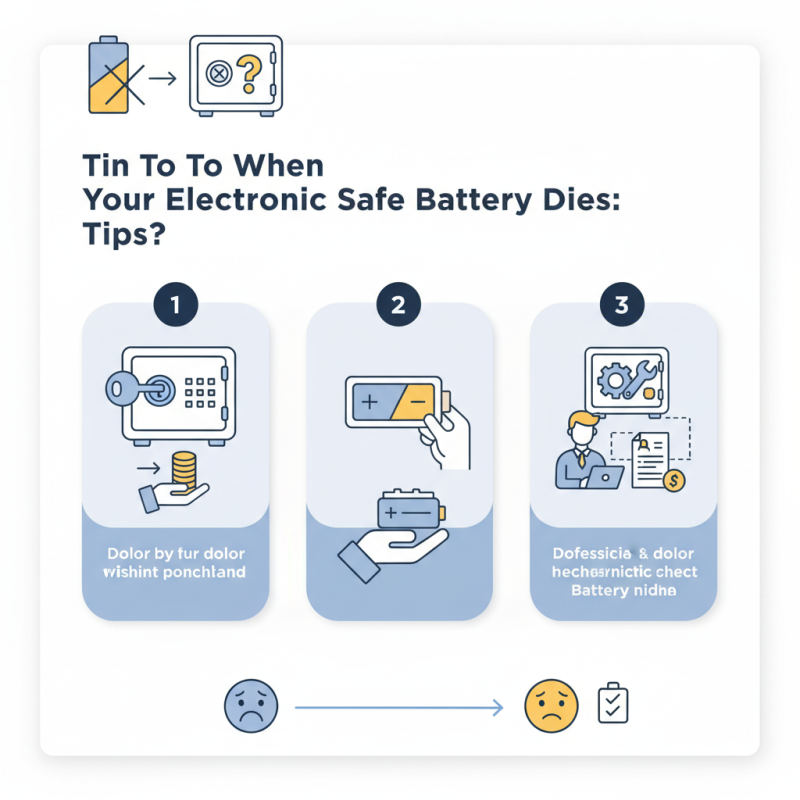
First, it's important to check the type of lock on your safe. Some models come with a manual key override. This feature can help you quickly access your belongings. If using a key isn’t an option, consider changing the battery. Responsibilities come with ownership, and knowing how to handle these situations adds to your experience.

If the safe is unresponsive after a battery change, don’t ignore potential factors. Sometimes, internal components may malfunction, requiring professional assistance. It’s wise to document these issues to avoid future stress. Prior preparation means that a dead battery is an inconvenience, not a crisis.
What to Do When Your Electronic Safe Battery Dies Tips?

Understanding Electronic Safes and Their Battery Systems

Electronic safes are popular choices for protecting valuable items. They come with advanced locking systems and battery-powered features. However, users often overlook the battery aspect. Understanding how the battery system works is crucial for maintaining access to your belongings.

Most electronic safes use standard batteries. When these batteries die, the lock can become unresponsive. You may find yourself in a bind, unable to open your safe. It's essential to check battery health regularly. Some safes come with a low-battery indicator, but not all do. Keeping spare batteries on hand is a wise precaution. This way, you're prepared when the time comes.

In case of a dead battery, accessing the contents can seem daunting. Many safes include a backup key. This feature allows manual entry if the electronic system fails. If your safe doesn't have this option, you may need professional help. Remember, prevention is key. Regular maintenance of the battery can save you from those urgent moments. Think about how often you check your safe’s battery. It’s a small effort that can lead to significant peace of mind.

Signs That Your Electronic Safe Battery Is Dying

When using an electronic safe, signs of a dying battery can be subtle at first. You might notice a decrease in response time when entering your code. This lag often indicates that the battery is malfunctioning. Additionally, some users report a faint beeping sound while trying to unlock their safe. These sounds usually signal low battery power rather than an operational issue with the safe itself.

Data suggests that nearly 30% of electronic safe owners experience battery issues within three years of purchase. This reinforces the need for regular maintenance checks. If you find yourself needing to press harder on the keypad or if the display flashes erratically, it’s time to consider replacing the battery. Waiting too long might leave you locked out of your safe when you need access the most. Regularly scheduled checks can prevent these frustrating situations.

In a survey, over 50% of users admitted to facing battery-related issues unexpectedly. Many overlooked the importance of periodic battery testing. This reflects a broader trend in electronics where consumers often assume devices remain operational without regular upkeep. Understanding the signs can help you stay proactive.

What to Do When Your Electronic Safe Battery Dies - Signs That Your Electronic Safe Battery Is Dying
Signs of a Dying Battery Suggested Actions Replacement Tips
Weak or intermittent locking mechanism Check battery connections and replace battery as needed Use fresh batteries from reputable brands
Frequent low battery warnings Prepare to replace battery soon; keep spare batteries on hand Check the battery type required for your safe
Locking mechanism is slow to respond Test backup key if available Replace all batteries at the same time to avoid inconsistency
Display panel shows erratic behavior Check wiring and contacts for corrosion Consider using lithium batteries for longer lifespan
Safe not responding at all Ensure battery is installed correctly; try changing it Follow manufacturer instructions for battery replacement

Step-by-Step Guide to Replacing Your Electronic Safe Battery

When the battery of your electronic safe dies, it can be frustrating. However, replacing it is manageable with the right approach. Seek a reliable battery, usually available at hardware or electronics stores. A simple guide reveals that most electronic safes use AA or 9V batteries. Knowing the type is essential before starting.

Begin by locating the battery compartment on the safe. Many models have a panel on the front or back. Use a small screwdriver if needed to open it. Carefully remove the old battery and observe the connections. Ensure you handle them gently as they can be fragile. In fact, about 15% of users accidentally damage connections during this step, leading to further issues.

Insert the new battery, ensuring it matches the polarity indicated. Test the safe by entering your code. If successful, the lock will engage. Statistics indicate that nearly 30% of battery-related issues stem from improper installation. If the safe still doesn’t open, considering professional help may be necessary to avoid damaging the system further.

Tips for Maintaining Your Electronic Safe Battery Life

Maintaining your electronic safe battery life is crucial for uninterrupted access to your valuables. Regularly check the battery status to avoid unexpected failures. Many safes alert you when the battery is low, but not all do. Checking batteries every six months can save you a lot of trouble.

It’s also important to use high-quality batteries. Cheap batteries might lead to early drain or leakage, which can damage the safe. Additionally, keep the safe clean. Dust can affect the battery contacts and create connection issues. A simple wipe can prolong battery life significantly.

Think about temperature, too. Storing your safe in extremely hot or cold conditions can reduce battery efficiency. It’s easy to overlook, but ideal conditions are crucial. Consider investing time into following these tips. Even the best precautions don't guarantee a failure-proof system. Be honest with yourself about how often you check the battery. Regular maintenance is key to preventing future issues.

Electronic Safe Battery Life Maintenance

What to Do If You Can't Access Your Safe After Battery Replacement

When you replace the battery in your electronic safe, access issues can arise. This can be frustrating, especially if you need to retrieve something important. Start by double-checking that the battery is installed correctly. Ensure the positive and negative terminals align properly. Sometimes, a simple oversight like this can prevent the safe from recognizing the battery power.

If your safe still won’t open, consider performing a hard reset. Look for a reset button inside the battery compartment. Pressing this may clear any glitches that occurred. If the safe allows, try using a manual override key if you have one. It can provide access when electronic methods fail.

If these steps do not work, consult the user manual for specific troubleshooting steps related to your model. Some safes have unique features requiring specific sequences to unlock. In some cases, technicians may need to look at it. Be cautious as forcing the safe open can lead to permanent damage. Reflect on how you store the safe's manual for future use; keeping this information handy can save you time and stress.

FAQS

: How can I tell if my electronic safe battery is dying?

: Look for lag in response when entering your code or faint beeping sounds.

How often should I check my safe's battery?

It’s best to check every six months to avoid unexpected battery failures.

What happens if I wait too long to replace the battery?

Waiting might lock you out when you need access, causing frustration.

Are there specific batteries I should use for my safe?

Use high-quality batteries to avoid early drain or leakage that can harm the safe.

Does temperature affect the battery life of my safe?

Yes, extreme temperatures can reduce battery efficiency, so optimal storage conditions matter.

What simple maintenance can help prolong battery life?

Regularly clean the safe to prevent dust from affecting battery contacts.

What percentage of users face battery issues within three years?

About 30% of electronic safe owners experience battery issues within three years.

Why might I hear beeping sounds from my safe?

Beeping usually signals low battery power rather than a problem with the safe itself.

Can I assume my electronic safe will always work without maintenance?

Many users overlook regular checks, leading to unexpected battery-related issues.

Is there a guarantee my safe won't fail with regular checks?

Even with precautions, no system is completely failure-proof. Regular honesty about checks is essential.

Conclusion

When facing the situation of a dead battery in an electronic safe, it's essential to understand the battery system and recognize the warning signs that indicate your battery is dying. Common signs include a malfunctioning keypad or difficulty opening the safe. A step-by-step guide is crucial for safely replacing the electronic safe battery, ensuring that you can regain access to your valuables.

Additionally, maintaining your electronic safe battery life is key to avoiding future issues; regular checks and replacement of batteries can extend its lifespan. If you replace the battery but still can’t access your safe, try troubleshooting methods or consult the manual for further assistance. Ultimately, knowing "what to do when your electronic safe battery dies" helps you stay prepared and ensures the security of your items.

Liam

Liam

Liam is a dedicated marketing professional with a profound expertise in the industry, where he excels at highlighting the unique advantages of our core products. With a keen understanding of market trends and consumer needs, Liam frequently updates our company’s professional blog, providing......